
AI in the Workplace
AI can help you make your work easier, communicate better and to continue learning. Discover how to use AI smartly in the workplace and to develop yourself.

AI in the workplace
When people think of AI at work, they ofter think of large systems: software that automates processes or robots that perform tasks. You can already spot these practices within some larger companies.
But AI is also appearing in applications that help people make difficult work easier: apps that read text aloud or help you plan tasks. A good example of an app is Grammarly, which uses AI to analyse written text and suggest improvements for grammar, clarity, tone and style.
In addition, there is generative AI such as ChatGPT, Copilot or Gemini. These are already widely used for office jobs: writing emails, summarizing meetings and looking up information.
But is can also be useful tool in other role. On this page, we give you some inspiration on how AI can be used to make your work easier or or to help you continue your learning journey.
What does the law say?
The EU AI Act
Did you know that there is a European law regarding AI? It’s called the EU AI Act. It regulates what is and is not allowed regarding artificial itelligence at work in Europe. According to the AI Act, companies need to make sure their workers who use AI understand how to do it properly. Everyone handling AI must be trained well enough to use it safely and correctly.
This is one of the goals of JOBWIJS: we have not only built a website, but also provide workshops in the workplace in Brussels and the Flemish periphery, so that everyone is up to date with the new technology and has the opportunity to become AI-literate.
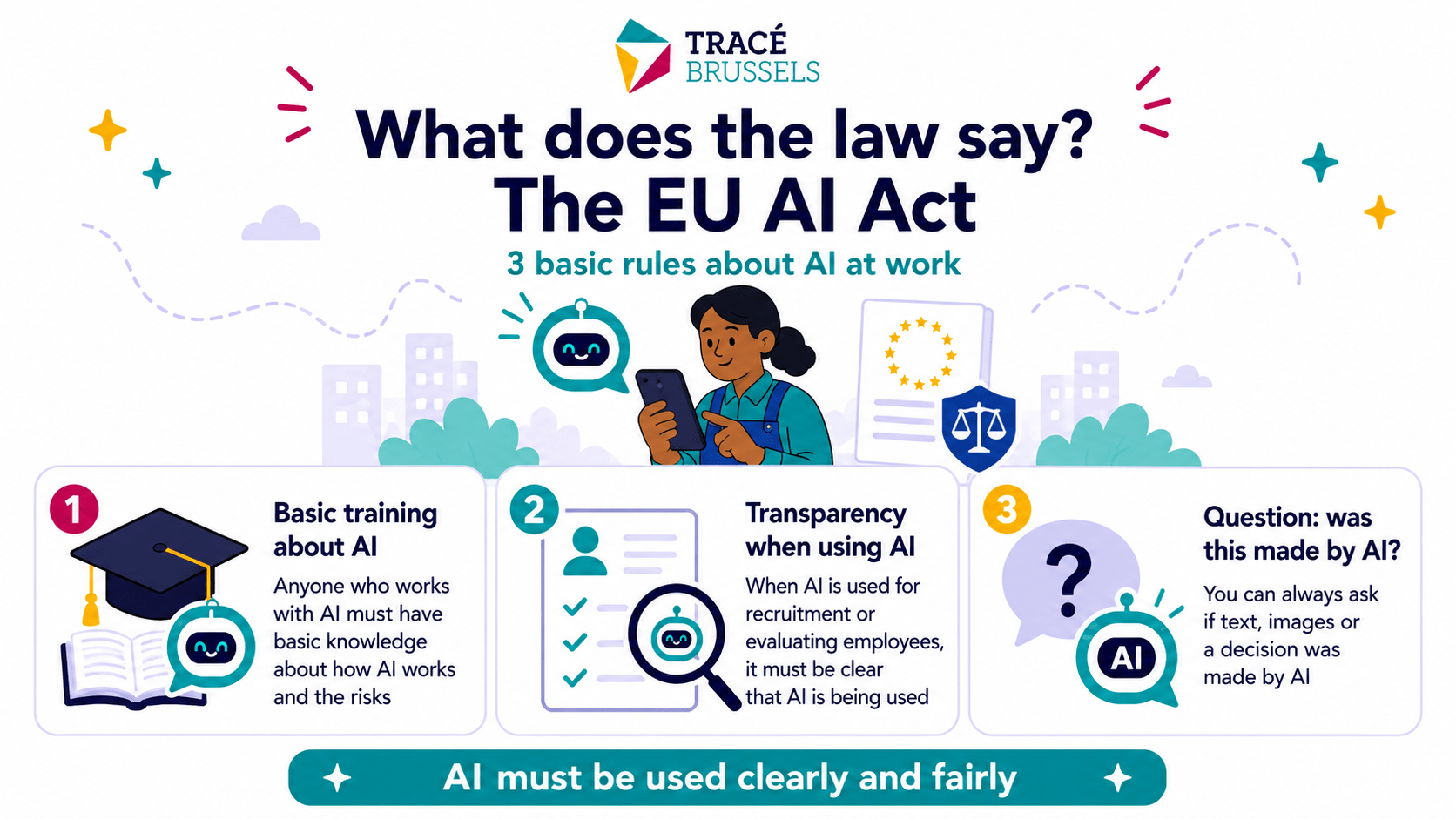
Infographic created by AI
What can AI do for you in the workplace?
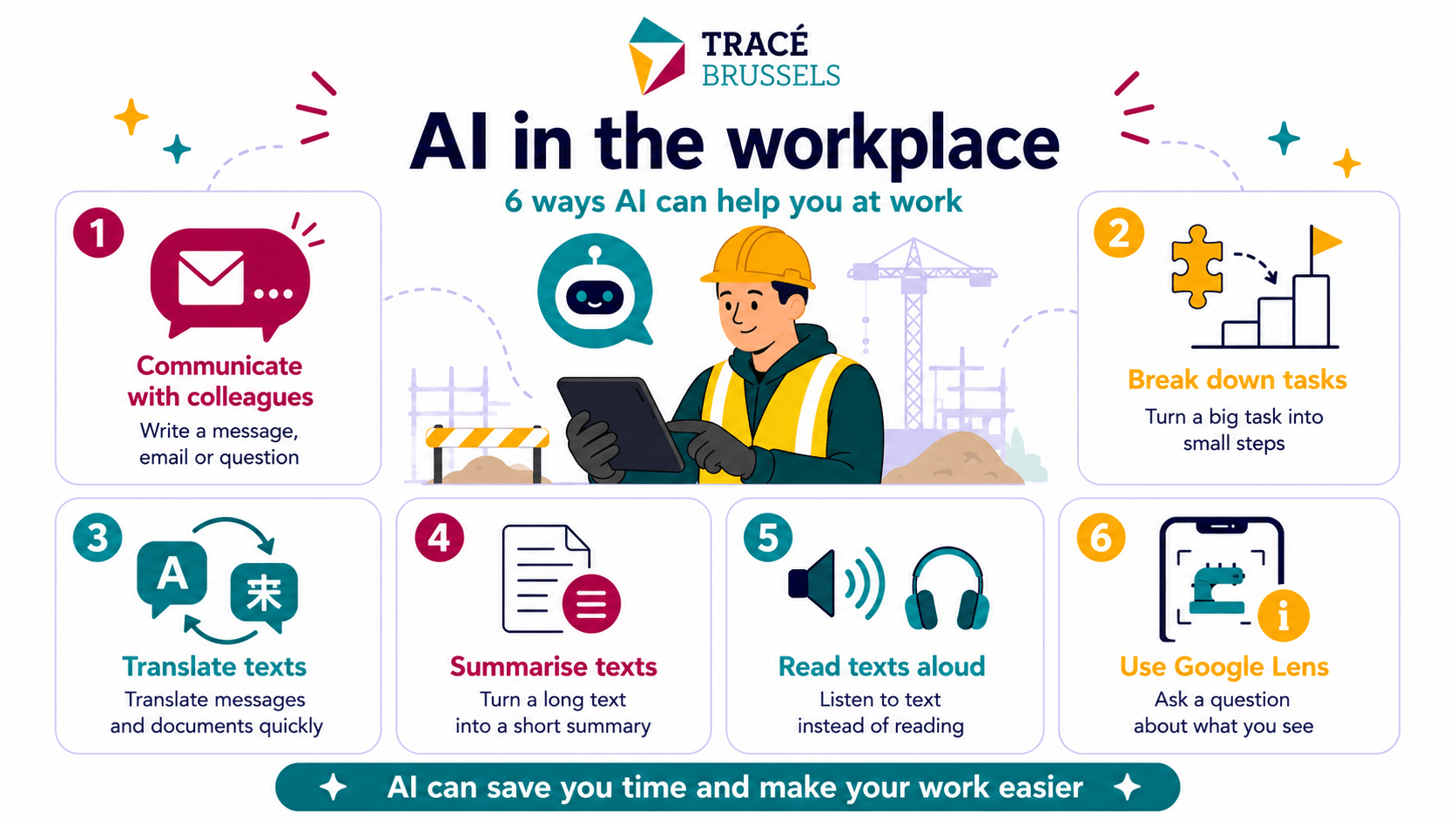
Infographic created by AI
AI Tools that help you
Interesting tools and websites
Rewordify.com |Rewordify.com | Understand what you read
A free online software that improves reading and learning. It helps simplify difficult English en teaches you new words. Handy for work documents, manuals or messages you don’t quite understand.
Google Lens | lens.google.com
You can find Google Lens in the Google search bar or sometimes it’s built in right into your camera. You can also download it as a standalone app.
Just point your camera at something you don’t recognize; a product, a building, plant or even printed text and Google Lens will identify it and tell you what it is. Whether it’s translating a foreign menu, copying printed text into a digital format, identifying plants or animals or finding similar products online, it all works without having to type a thing.
Goblin Tools | goblin.tools
Goblin Tools is a free online app that helps you organize your day and tasks. It breaks big jobs into small, easy steps so they feel less stressful. The tool also checks your writing and can help you choose the right words. It works well for people who struggle with planning or focusing on work. You can use it on your computer or phone to stay organized every day. Everything is simple and anyone can learn to use it quickly.
try out these prompts yourself
Prompt examples
In addition to the examples of apps given above, general AI tools like ChatGPT, Claude or Mistral can also help you at work. Below you will find several prompts that can give you you inspiration on how to use AI at work.
How do you go about it?
Copy an example, paste it into the prompt bar of the app of your choice and customize it to your liking. Change the information between the [brackets] with your own information

Message to boss
I want to ask my boss if I can go home early on Friday. I’m not sure how to ask it or how to write it down properly. Can you help me write a short and polite message?
Report problem
Help me clearly report that there is a problem with [material/machine/task]. Keep it brief and polite.
Help read label
I have a cleaning product, but cannot read the instructions and safety regulations properly. Tell me in understandable language what I can and cannot do. (Take a photo of the label and upload it as an attachment)
Help read label
I have a cleaning product, but cannot read the instructions and safety regulations properly. Tell me in understandable language what I can and cannot do. (Take a photo of the label and upload it as an attachment)
Translate
Translate this text into English: [paste the text]
AI knows almost every languages and is known to translate very well. Beware to always double check with someone who speaks the language fluently, AI can make mistakes or misunderstand the context.
You can also take a photo of a text and then upload it as an attachment instead of typing of copy-pasting.
Shorten text
Here is a long text/email. Can you summarize it in a maximum of 5 sentences? [paste the text]
Made for you
JOBWIJS tools
Our coaches have created some special AI assistants in ChatGPT. To access this assistants, you need a ChatGPT account. Click on the link below.

Do you have questions about using your smartphone? This AI assistant helps you with all your questions and difficulties.
JOBWIJS Language coach
Practice your Dutch at your own pace. Tell us something about yourself, ask questions or practice a conversation. The coach adapts to your level.
Learning in a group
Would you rather do it together?
Ask your consultant or coach to use these tools with you. They are happy to help you further.
If you live in or near Brussels and are looking for work, you can also attend a free workshop and register via the button on the right.